
Partners
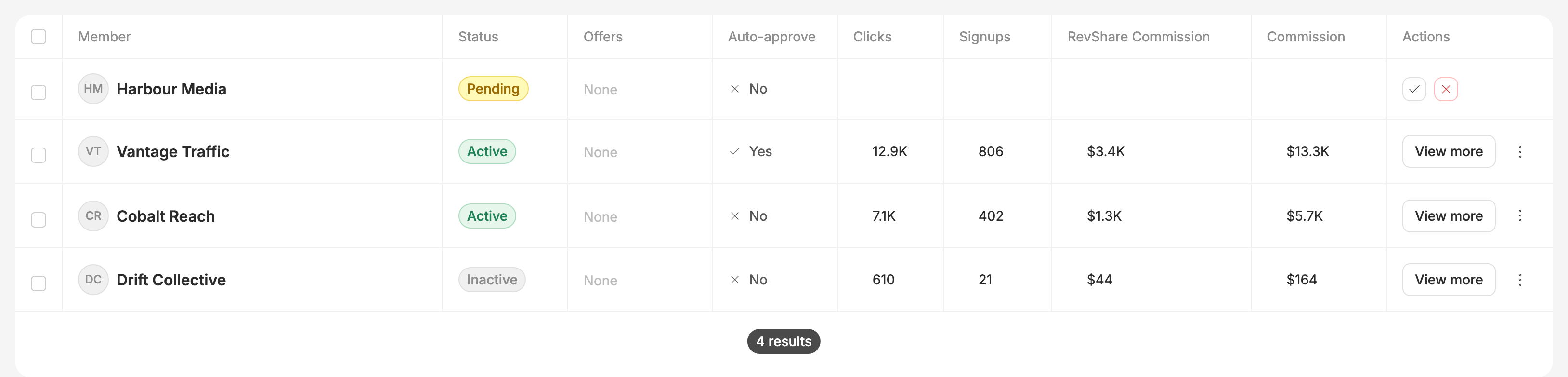
The Partners tab is where you run your sub-affiliate network: who has asked to join, who is live, and what each of them is producing. Every partner in the network appears here regardless of status, so this one screen covers both "who's waiting on me" and "who's actually earning".
Watch this video on its own page →
Transcript
Partners are the affiliates who work under your network. You need a plan that includes networks, and to be an account admin, or have Networks permission from one. Everyone who joins starts with your invite link.
Copy invite link puts the link on your clipboard. Send it however you like: email, chat, or your own website.
This is what your recruit sees when they open it. If they don't have a Routy account yet, they sign up first and come straight back here. They click Send Join Request.
Nothing is created yet. The request waits for you.
On your Partners tab, the request shows as Pending. It has no figures, because the partner doesn't have tracking yet. That's created when you approve.
The cross rejects a request. You have to give a reason. The reason is for your own records. The partner is told the outcome, never the reason.
This one we'll approve, with the tick.
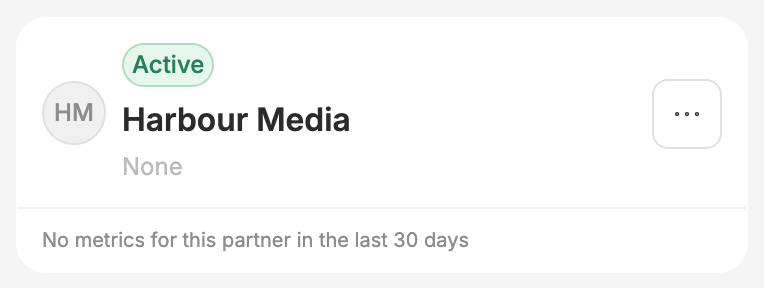
Harbour Media is now Active. Routy has created their tracking and their account under your program, and told them they are in. Your plan caps how many active partners you can have. If you are at the limit, approving is refused until you free a place or upgrade. Next, give your partners offers to promote. That has a video of its own.
Statuses
A partner is always in exactly one of three states.
Pending partners show no click or commission figures, because nothing has been created for them yet — see below.
Approving a request
A pending partner has two actions on its row: approve (✓) and reject (✗).
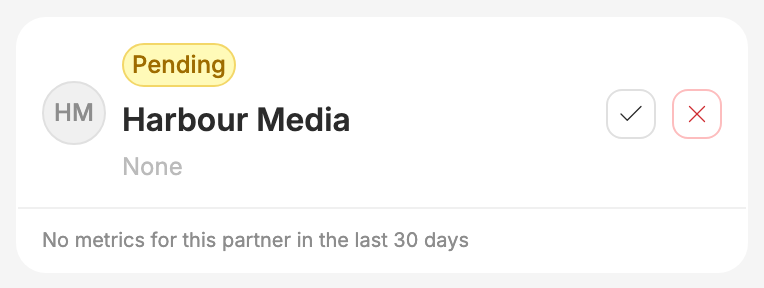
Approving is the moment the partner actually comes into existence. Until you approve, a join request is only a request — the partner has no traffic source and no program account under your network. Both are created when you approve, which is why a pending row shows no tracking details and no metrics.
Once you approve:
- the partner flips to Active;
- their traffic source and their account under your affiliate program are created automatically;
- they are notified that they are in;
- the join request stops appearing in your list of things to action.
If approval is refused
Approval is checked against your plan's partner limit at the moment you approve, not when the request arrives. This is deliberate: requests stay visible to you even when you are already at your limit, so you can see who is waiting and decide who is worth the slot. If you are at the limit, approval is declined and you will need to free a slot or move to a larger plan.
A request can also only be approved once. If the row is no longer pending — because it was already actioned, possibly by a colleague — approving it again does nothing.
Rejecting a request
Rejecting asks for a reason, and the reason is required before you can submit.
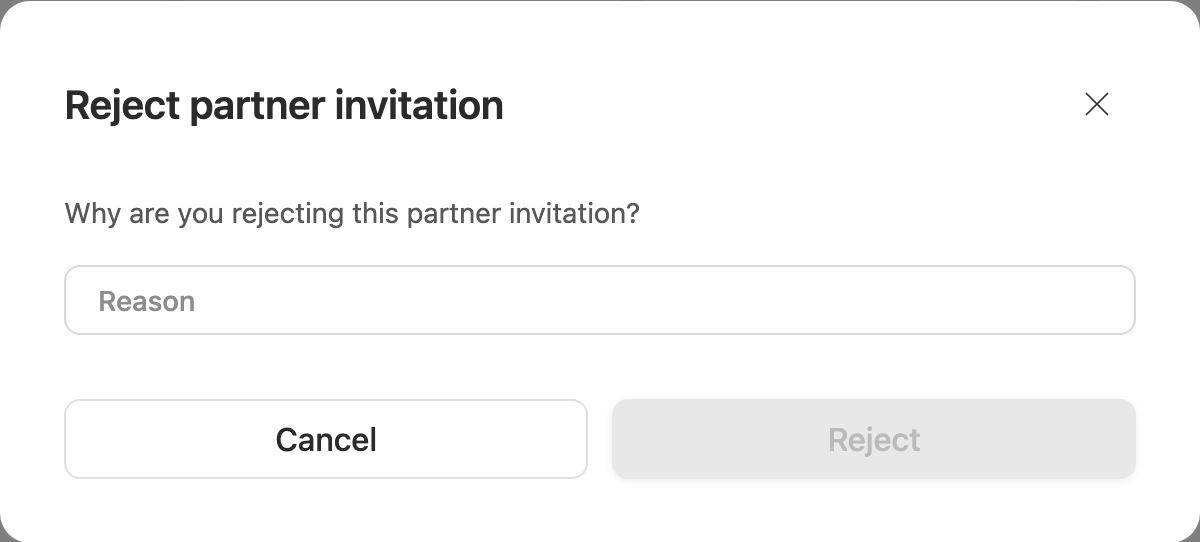
The reason is for your records only — the partner never sees it. They are told the outcome, not the reasoning. Write whatever will make sense to you or a colleague reading the record later.
Rejecting sets the partner to Inactive and closes any account that had been associated with them.
Recruiting new partners
Copy invite link on the Partners tab gives you the link to share. Anyone who opens it lands on a confirmation screen naming your network.
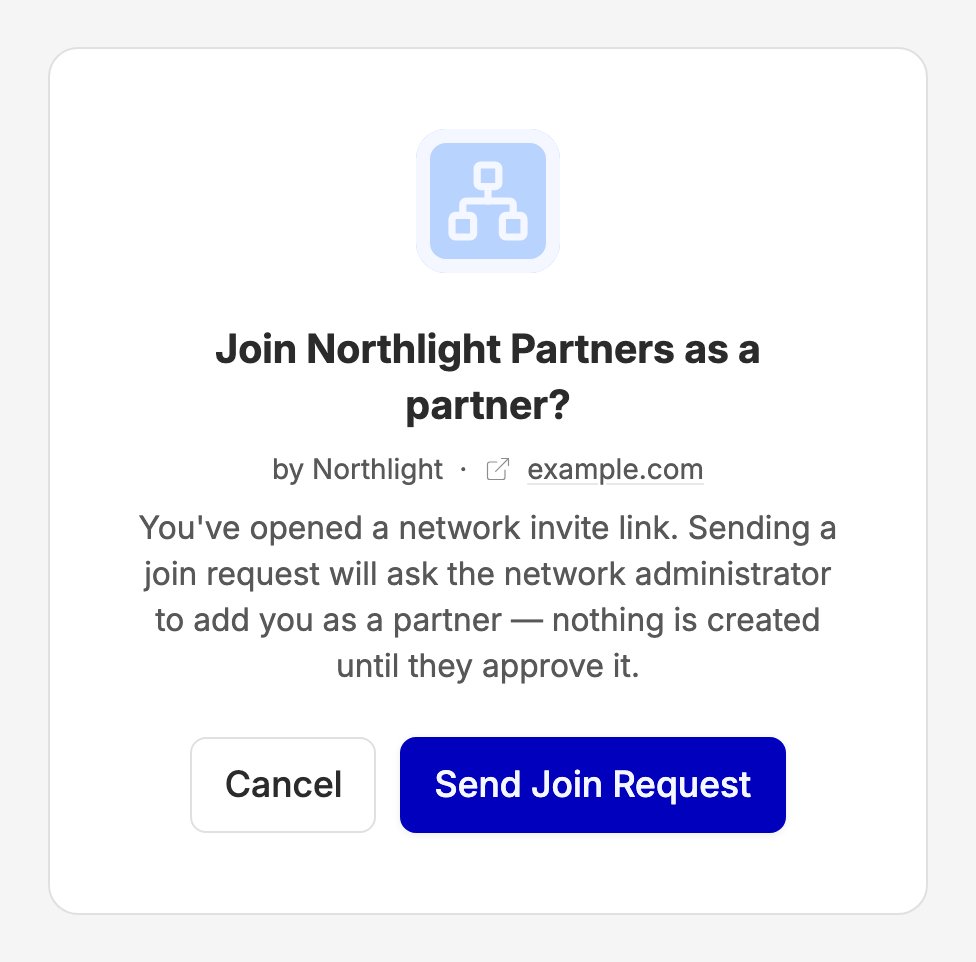
They confirm, and their request lands in this tab as Pending, waiting for you. A few things worth knowing about that link:
- The recruit needs a Routy account. If they don't have one they'll be asked to sign up first, and they'll come back to the join step afterwards.
- Someone who is already a partner in your network, or who already has a pending request, is told so rather than creating a duplicate.
- You cannot join your own network.
When to escalate to engineering
Most surprises on this screen are explained above. Contact support if:
- a partner has been Active for some time but their clicks and commission stay at zero — that points at their tracking setup, not at the network;
- approval keeps failing and you are not near your partner limit;
- a partner reports they were never notified of your decision.