
Event webhooks
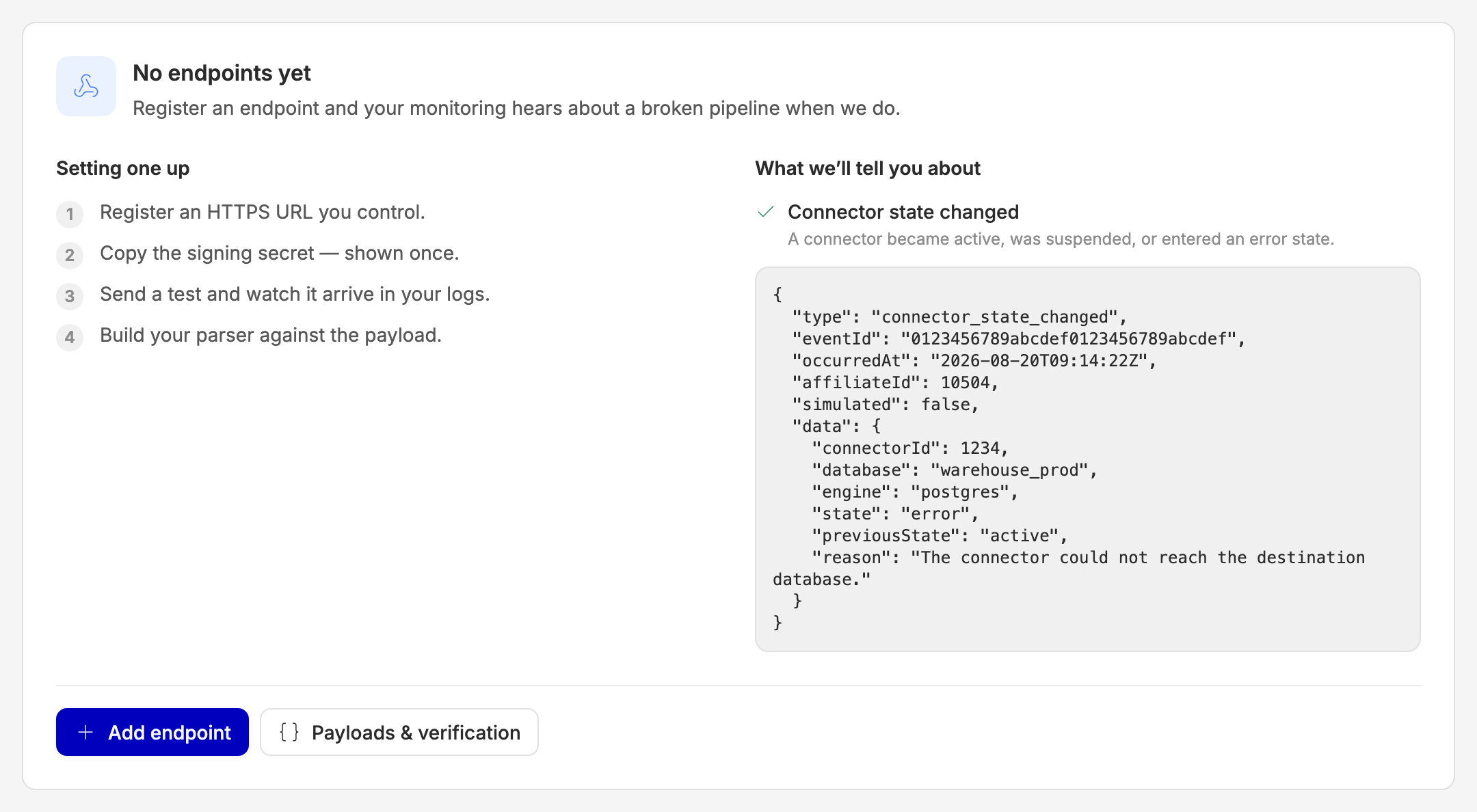
Event webhooks tell your systems when something happens on your Routy account — a connector breaks, an import fails, an export finishes. You register an HTTPS URL you control, and we send it a signed JSON event.
The point is timing. Today, if your data pipeline breaks, you usually find out by noticing: someone checks and the numbers are stale, or a Monday report looks wrong. With an endpoint registered, your monitoring finds out at the same moment we do.
This is machine-to-machine. Nobody reads these — a program parses them. If you want a person notified by email, Slack or in-app, that is the Notifications tab instead, and the two are set up separately.
Not the same as postbacks. Postbacks are the conversion tracking mechanism — one templated URL fired per conversion. Event webhooks are about the health of your account, not your traffic. If you use both, keep them straight.
Setting one up
- Add an endpoint. Paste the HTTPS URL you want events sent to, give it a name for your own reference, and choose which event types it should receive (or switch on "Send every event type").
- Copy the signing secret. We show it once, on the screen right after you create the endpoint. It cannot be retrieved again — not by you, and not by Routy support. Copy it somewhere safe before you close that panel.
- Send a test. Pick an event type and hit Send test. We deliver a real, correctly signed sample to your live URL, through exactly the same path a real event takes. Watch it arrive in your own logs.
- Build your parser against the sample payloads under Payloads & verification, before anything real fires.
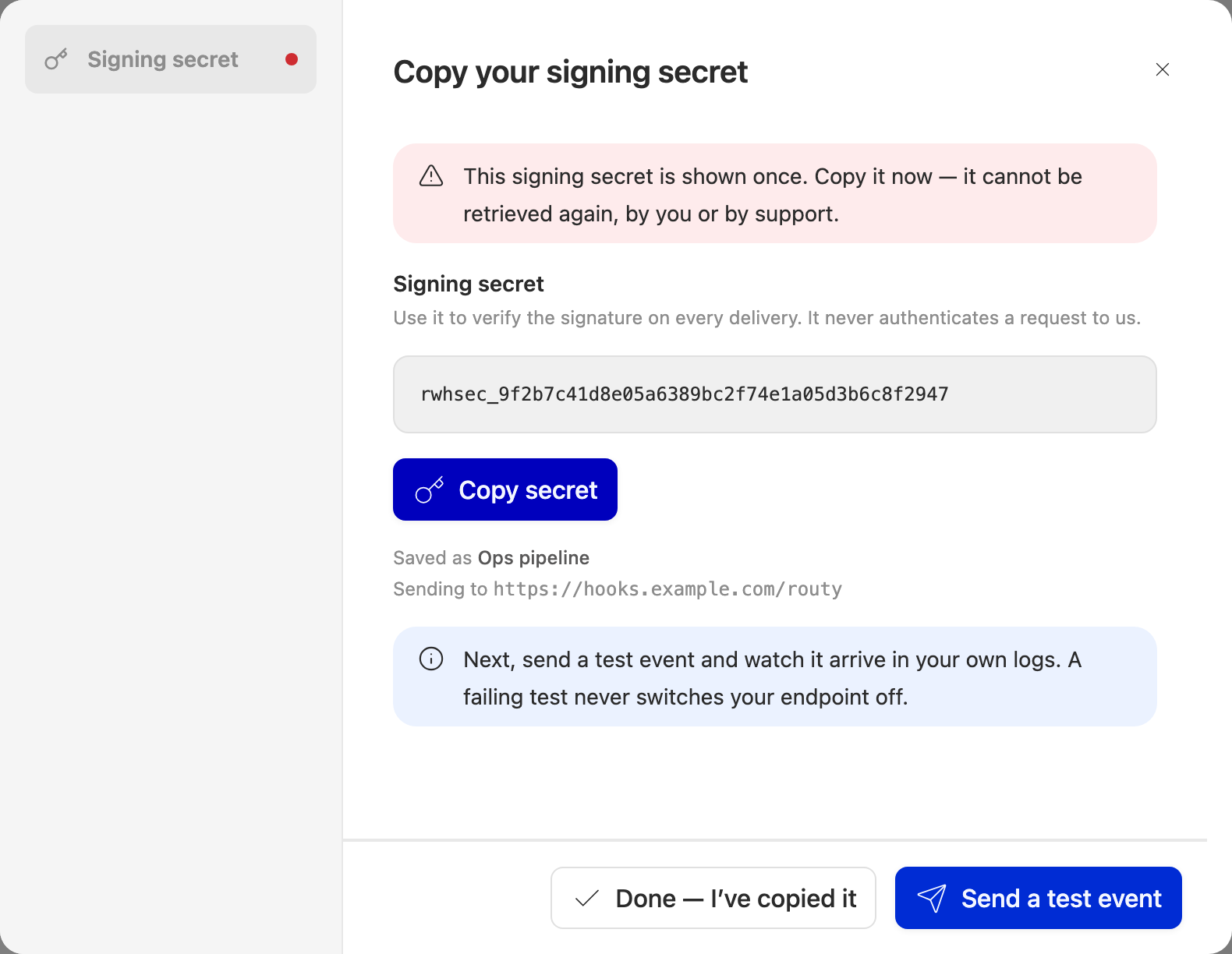
If you lose the secret, use Rotate secret — see below. Rotating is safe.
Destination URL
We are strict about the destination, because we make requests to it from inside our network. It must be:
- HTTPS, not HTTP.
- An absolute URL, with no username or password in it.
- Reachable from the public internet.
localhost, private ranges and internal hostnames are refused — including for testing. If you want to develop against it locally, use a tunnelling service that gives you a public HTTPS URL.
We never follow redirects. If your URL 3xxs, that counts as a failed delivery
— register the final URL instead.
Signing secret
The secret proves a request came from us. It never authenticates a request to us, so it is not an API key and cannot be used in place of one.
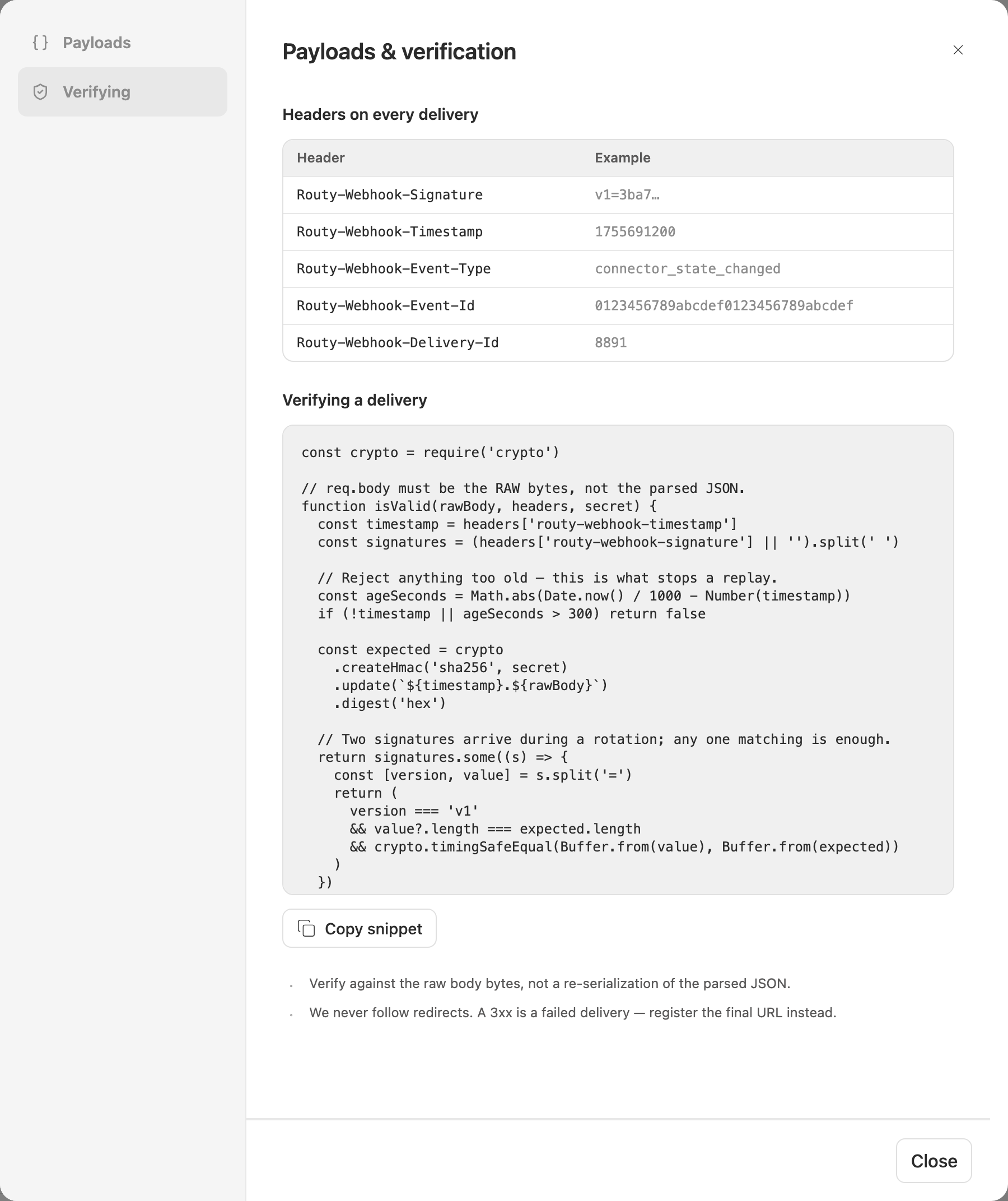
To verify a delivery, compute HMAC-SHA256(secret, "{timestamp}.{rawBody}"),
hex-encode it, and compare against the Routy-Webhook-Signature header. Verify
against the raw body bytes — not a re-serialization of the JSON you parsed,
which will differ. Then reject anything whose Routy-Webhook-Timestamp is
outside a tolerance window; that is what stops a replay attack.
A working snippet and the full header list are in Payloads & verification on the screen.
Rotating
Rotating is not destructive. For 24 hours after you rotate, we sign every delivery with both the new secret and the old one, and send both signatures in the header. So you can rotate now and deploy the new secret whenever you get to it — nothing is dropped in between. The screen shows exactly when the old one stops working.
Because any one of the signatures matching is enough, a consumer written the recommended way needs no change to survive a rotation.
Delivery guarantees
Three things your consumer has to handle:
- At least once. You may receive the same
eventIdtwice. Deduplicate on it. If you assume exactly-once, you will eventually double-count something. - No ordering. Retries interleave, so events can arrive out of order. Sort
on
occurredAtif order matters to you. - Unknown event types will arrive if you subscribed to "every event type".
We add types over time. Your parser must ignore a
typeit does not recognise rather than throw.
Every payload carries type, eventId, occurredAt, affiliateId, simulated
and a type-specific data block. Fields are only ever added — never removed or
renamed.
Retries
If a delivery fails in a way worth retrying, we try again immediately, then after 30 seconds, 2 minutes, 10 minutes, 1 hour and 6 hours. That is six attempts over about seven hours, after which we give up on that delivery.
Ten consecutive give-ups in a row and we switch the endpoint off — see below.
Statuses
Endpoint
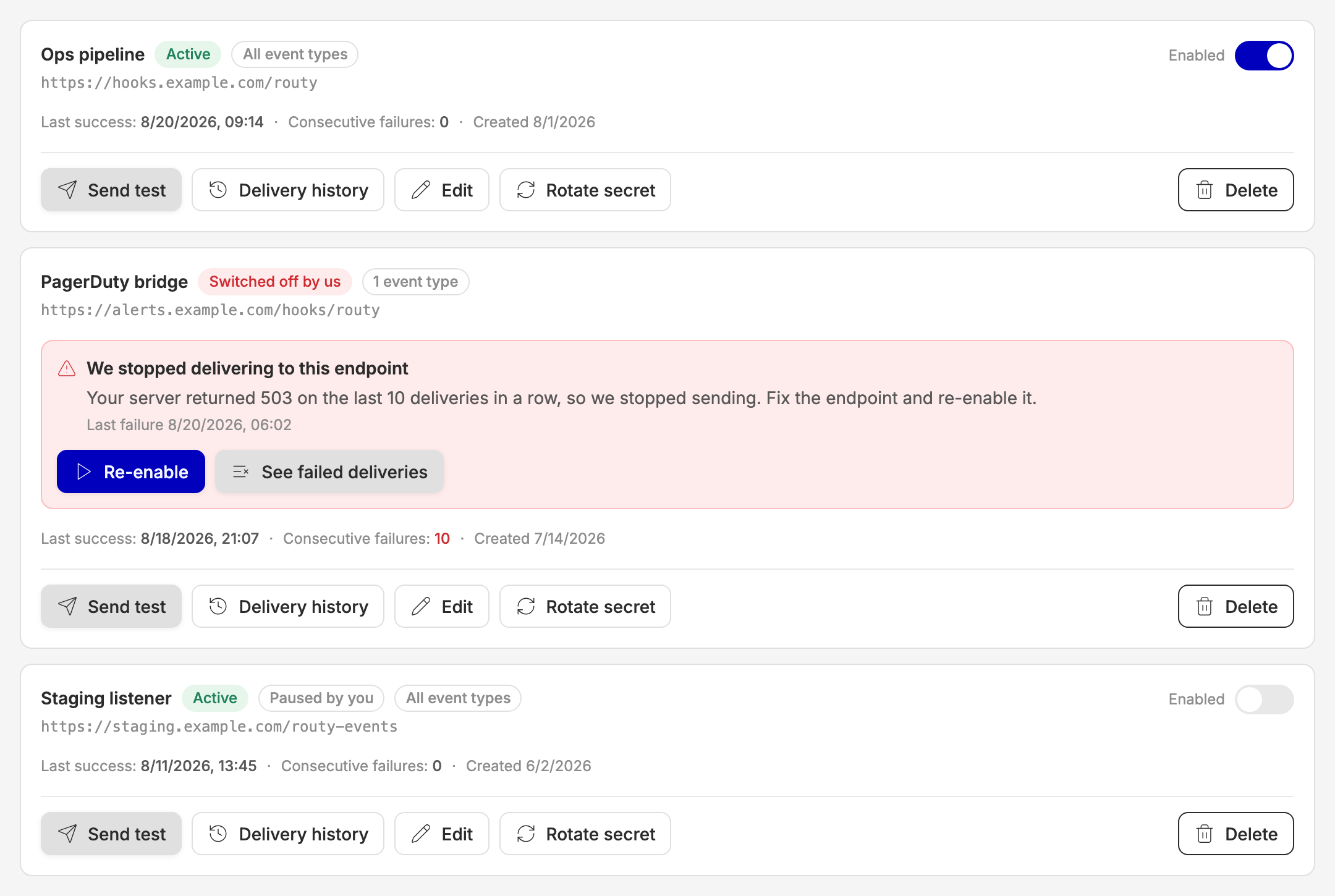
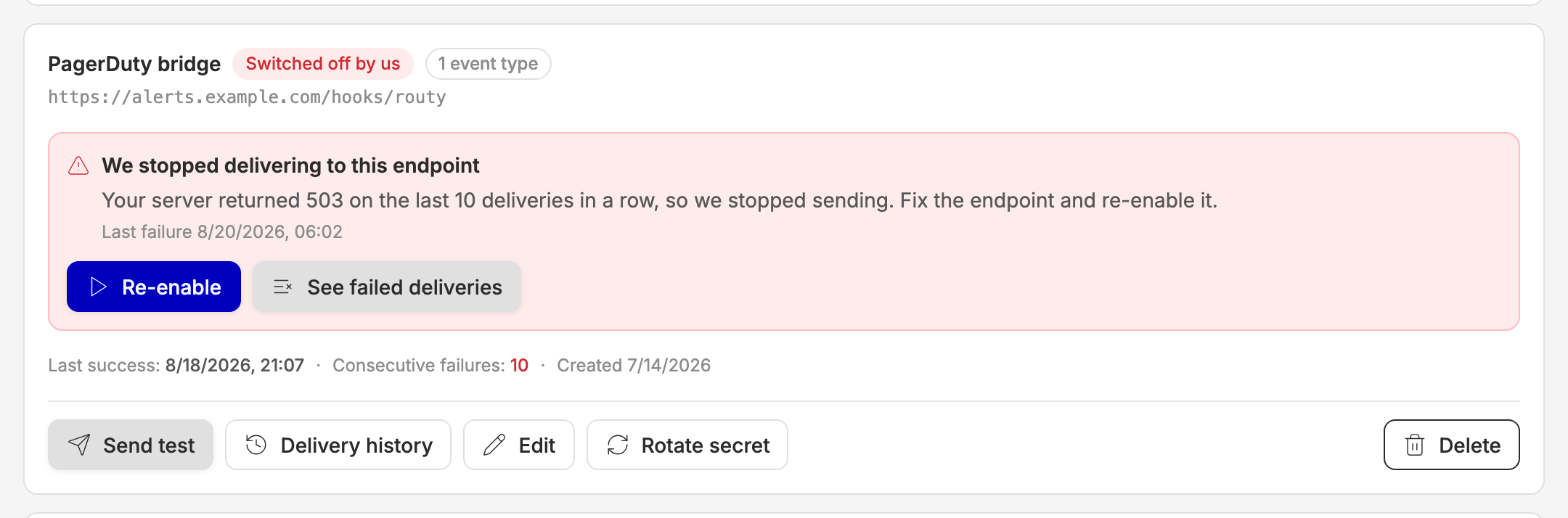
The last two look different on purpose. "Paused by you" is something you did. "Switched off by us" means your server stopped answering and needs looking at — the endpoint shows the reason, when it last failed, and a link straight to the failed deliveries. Fix the problem, then hit Re-enable, which clears the failure counter and resumes delivery.
Delivery
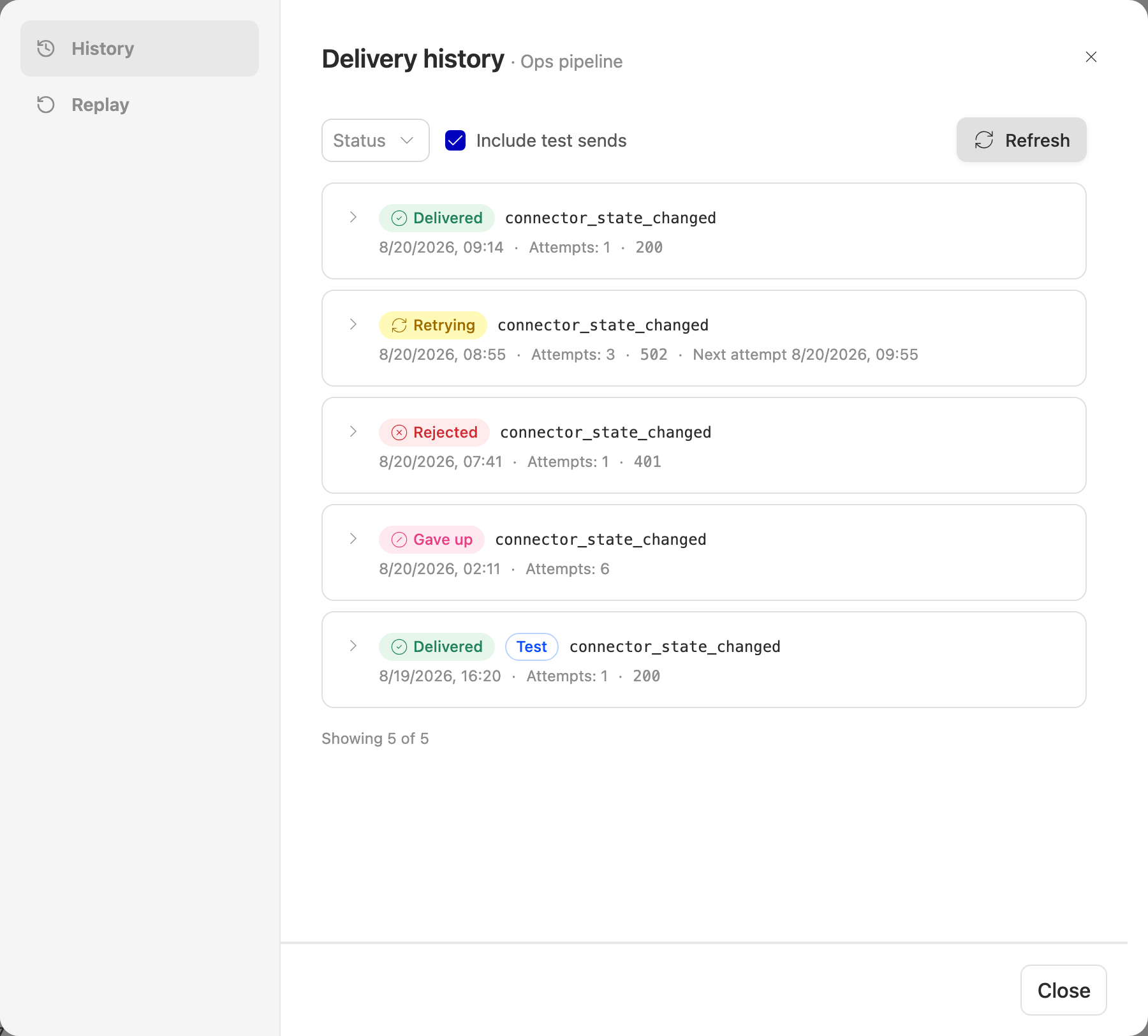
Rejected and Gave up are different problems. Rejected means your server replied and refused — read the response body on the row. Gave up means your server never accepted it across the full retry schedule — look at whether it was reachable at all.
Delivery history
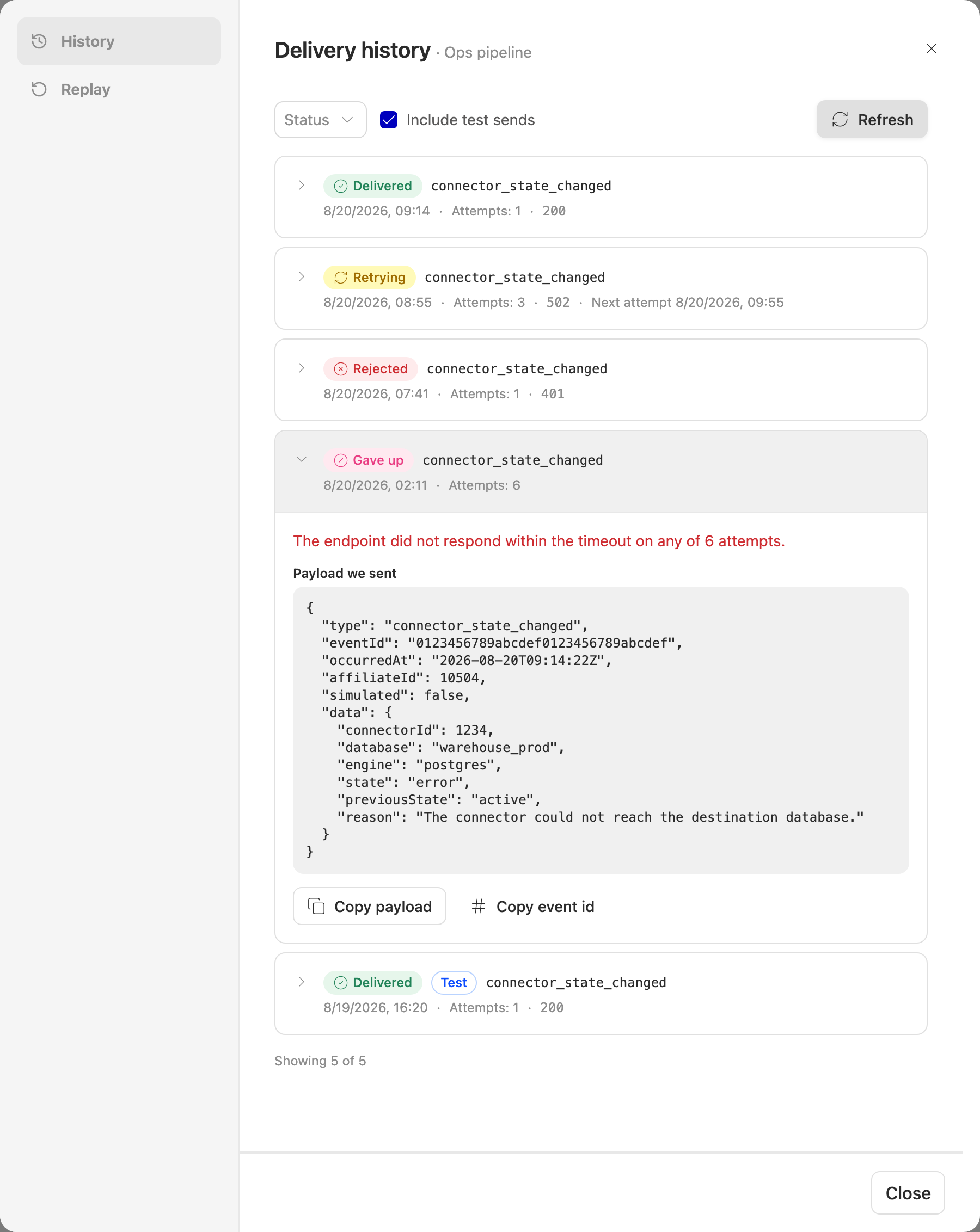
Every delivery for an endpoint, with what we sent, what your server replied, how many times we tried, and why we stopped. Expand a row to see the exact payload (with a copy button — paste it into your own test harness) and the first 2 000 characters of your server's response.
When we never got a reply at all — a timeout, a refused connection, a DNS failure — there is no status code to show, and the failure reason is the whole story.
Your own test sends appear here too, marked Test. They are useful while you are setting up and noise afterwards, so there is a filter to hide them.
History is kept for 30 days. Older deliveries are deleted, payload included. An empty history on a quiet endpoint is normal, not a fault.
Replay
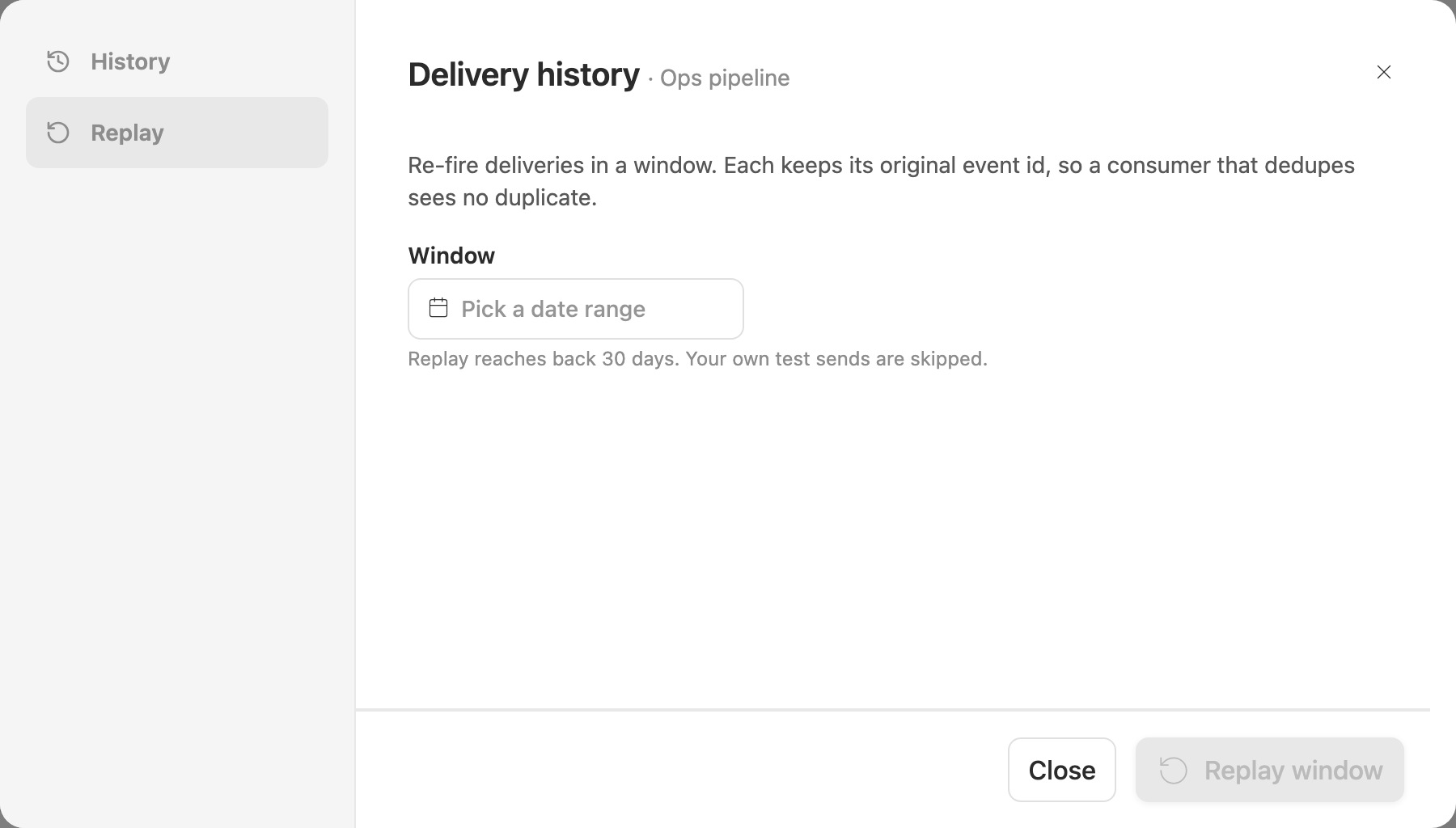
Re-fire the deliveries in a date window — useful after your consumer was down, or after you fixed a bug in it.
Each replayed delivery keeps its original event id, so a consumer that deduplicates correctly sees no duplicates. Your own test sends are skipped.
Replay reaches back exactly as far as history does: 30 days. If the window you pick goes back further, we tell you the cutoff rather than quietly sending less.
Sending a test
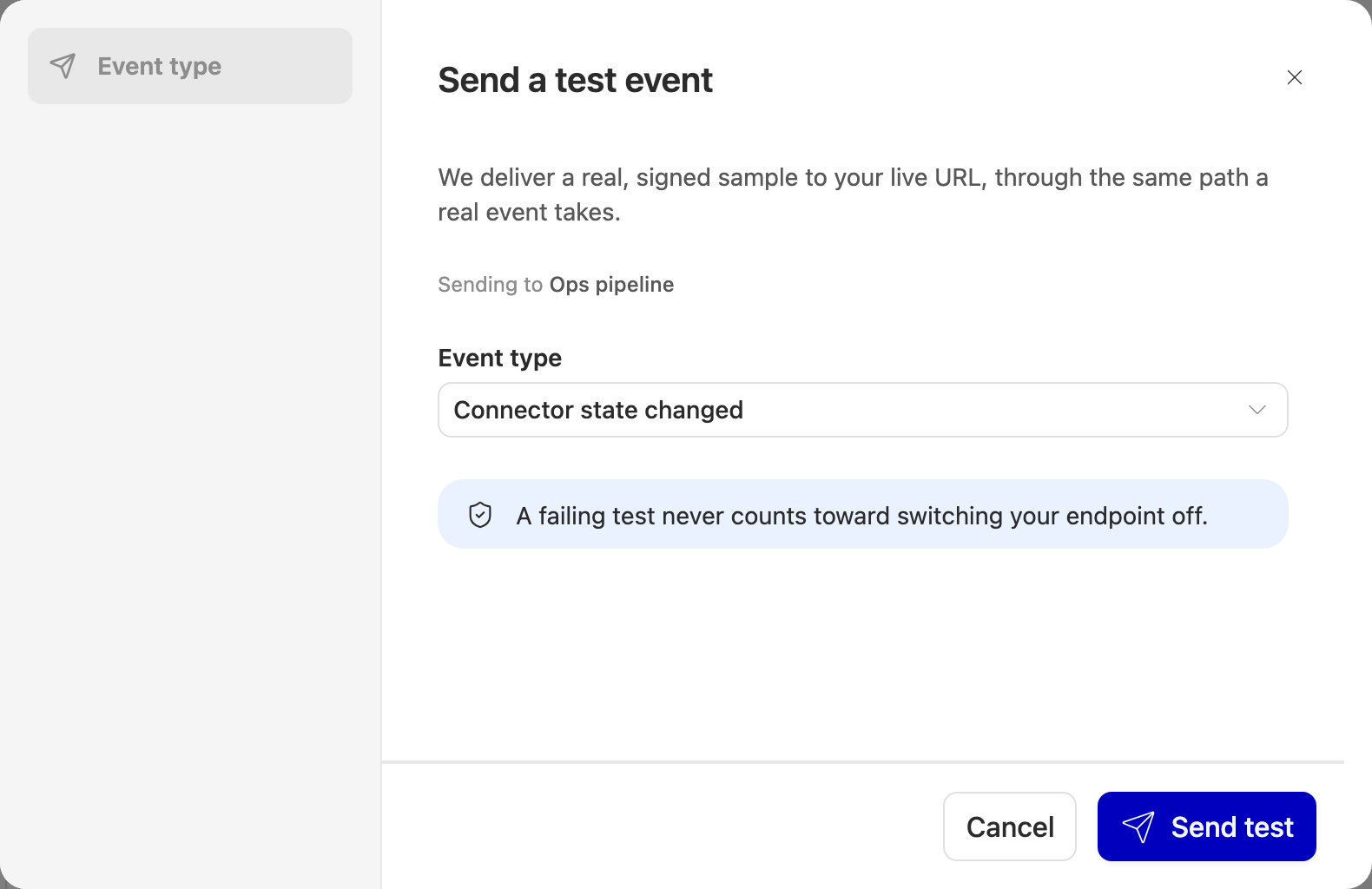
A test send is a real, signed, schema-valid event delivered to your live URL through the real delivery path. It is not a ping.
A failing test never counts toward switching your endpoint off. Test as often as you need to.
If it is not in your plan
Event webhooks are a paid capability. If your plan does not include them, the screen says so and does not offer the form — there is nothing to fill in that could succeed.
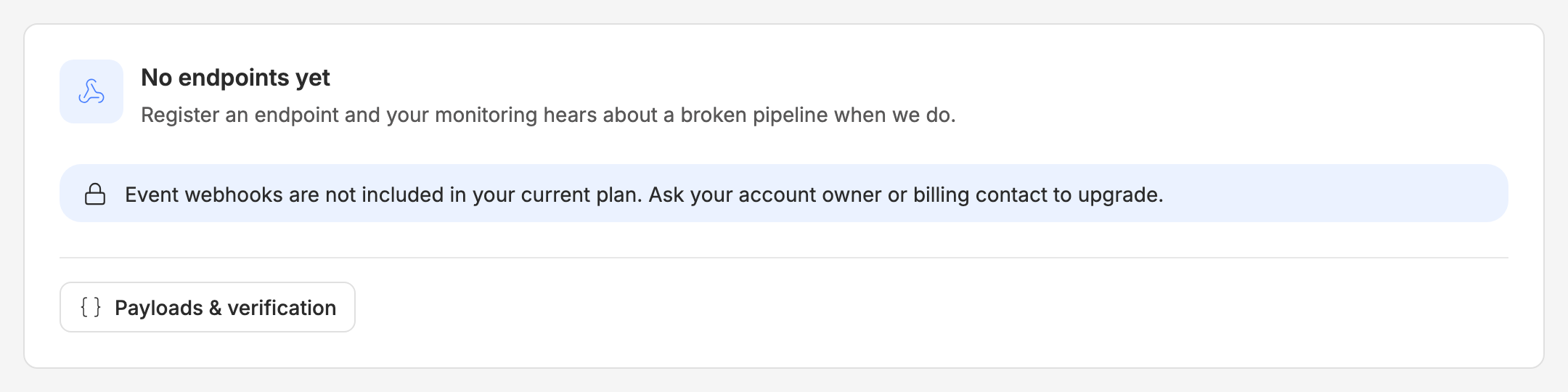
Your account owner or billing contact can upgrade. Nothing you had before is affected.
When to contact support
- The endpoint keeps getting switched off and the failure reason does not match anything you can see in your own logs.
- A delivery shows a response you did not send.
- Signature verification fails consistently for deliveries you can see arriving, and you have already checked that you are hashing the raw body.
Have the delivery id and event id ready — both are on the delivery row, and the event id has its own copy button.