
Agreements
The Agreements tab is where you set your network's own terms: the terms and conditions a publisher must accept to become your partner. When you change them, you decide whether the partners you already have must accept the new version, and how long they have.
These are your network's terms. They cover one partnership, between you and that partner in this network. They are not Routy's platform terms, and they never affect a partner's Routy account, their other networks or their own affiliate programs.
A network with no terms works exactly as before: publishers join without accepting anything.
Publish your terms
- Open your network and go to the Agreements tab.
- Choose Publish terms.
- Give the terms a title and write them. You can use Markdown for headings, lists and links. Use Preview to see what partners will read.
- Set the Grace period, the number of days your existing partners have to accept. The default is 30.
- Choose what happens After the deadline:
- Flag only (the default): nothing changes automatically. The partner is shown as Overdue here, so you can follow up.
- Suspend the partnership: the partnership is suspended until they accept. See Suspended partners.
- Choose Publish version 1.
The first version always applies to the partners you already have, as well as to everyone who joins from now on. Each existing partner's account owner gets a notification and an email, and the terms appear in their Agreements to review list with the deadline.
Change your terms
Published versions can't be edited. Changing the terms publishes the next version, and the old one stays on record so you can always see what a partner agreed to.
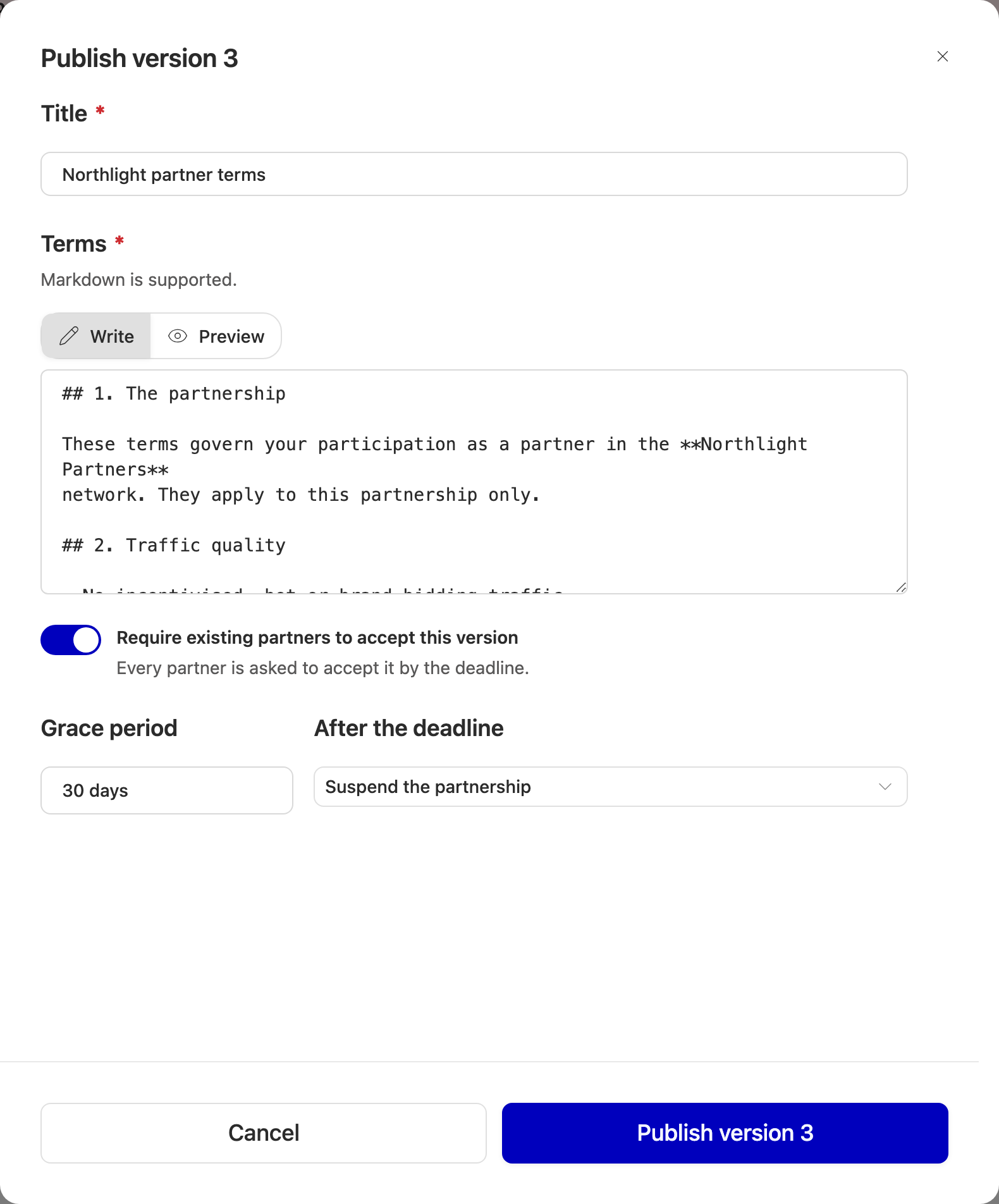
- Choose Publish new version. The form starts from the current text.
- Make your changes.
- Decide Require existing partners to accept this version:
- Off (the default) for small fixes. Only new joiners accept the new version. Your existing partners stay on the version they accepted.
- On for a change your partners need to agree to. Set the grace period and the after-deadline rule, as for the first version.
- Choose Publish version N.
New joiners always accept the latest version, whichever you choose.
If a partner still owes an older version when you publish one that requires acceptance, the new version replaces it, with the new deadline.
Versions
Versions shows every version you have published, newest first, with its date and the rule it was published with. Pick a version to read it.
Who has accepted what
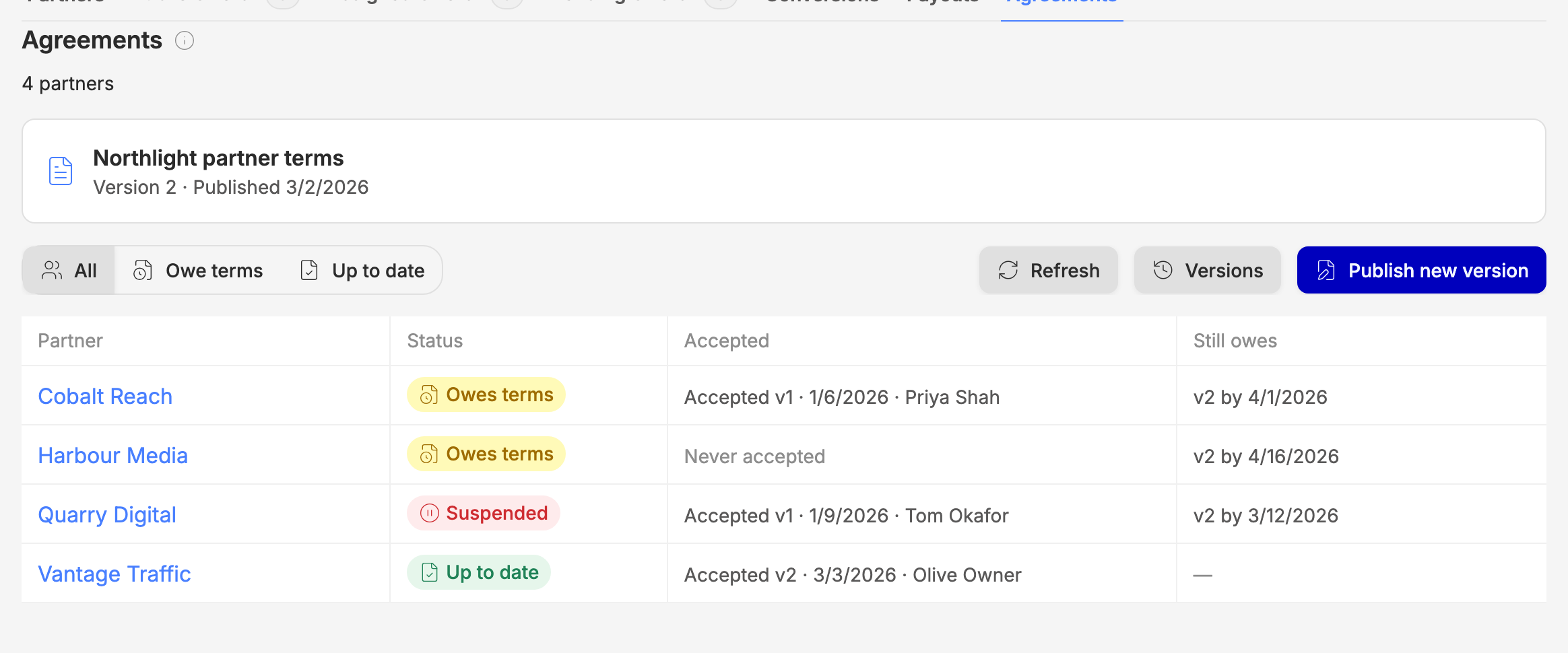
The table lists every active, pending and suspended partner and where each one stands.
Accepted shows the newest version they accepted, when, and which user accepted it. Use Owe terms and Up to date above the table to narrow the list.
Rejected and deactivated partners aren't listed.
Approving join requests
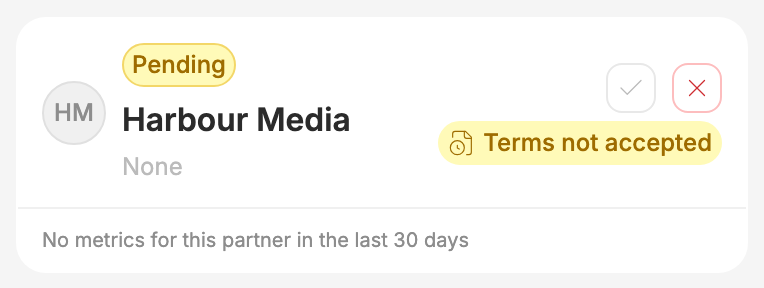
When your network has terms, you can only approve a join request from someone who has accepted them. On the Partners tab, a pending partner who hasn't accepted shows Terms not accepted and can't be approved yet. Hover the ✓ on one who has accepted to see the version, the date and the user.
Publishers who join from your invite link accept before their request is sent. Two kinds of partner arrive without seeing that screen: a publisher who signs up to Routy through your invite link, and a partner added by Routy support. Both join as pending with 30 days to accept, and you can approve them once they have.
Suspended partners
A suspended partnership affects your network only:
- the partner's tracking links keep redirecting;
- their conversions in your network aren't credited;
- they can't request offers from your network.
The suspension lifts as soon as they accept. A pending partner (one you haven't approved yet) is never suspended: it just can't be approved until it accepts.
Who can accept
Only the owner of the partner's Routy account can accept your terms. Other users of that account can read them and see the deadline, but can't accept. A partner whose account has no owner set has to contact Routy support first.
When to escalate to engineering
Contact support if:
- a partner accepted but still shows Owes terms after you refresh;
- a suspended partner accepted and is still suspended;
- partners say they never received the notification or email for a version that required acceptance.