
Connecting a Betway or Buffalo Partners account
Routy connects to Betway and Buffalo Partners programs with your username and an API key. The key isn't shown on its own: it is part of the report feed links in your portal.
Finding your credentials
Log in to the program's affiliate portal.
Open Feeds. In the Betway portal it's the feed icon in the side menu.
The page lists report feeds (player, traffic, campaign, payments). Each feed link carries your username and API key, in this shape:
…/api/feed/cpa/player?username=YOUR_USERNAME&apikey=YOUR_API_KEY&start=…&end=…Copy the value after
apikey=, up to the next&. It is the same in every feed link.

The screenshot is from a Betway portal. If yours looks different, look for a page that lists report or data feeds: the key is in each feed's link.
Entering them in Routy
- Name the account and enter your Username: the value after
username=in the feed link, which is your portal login. - Under Login Credentials, paste the API key into the API Key tab.
- Click Test Connection, then pick your currency and click Save & Connect.
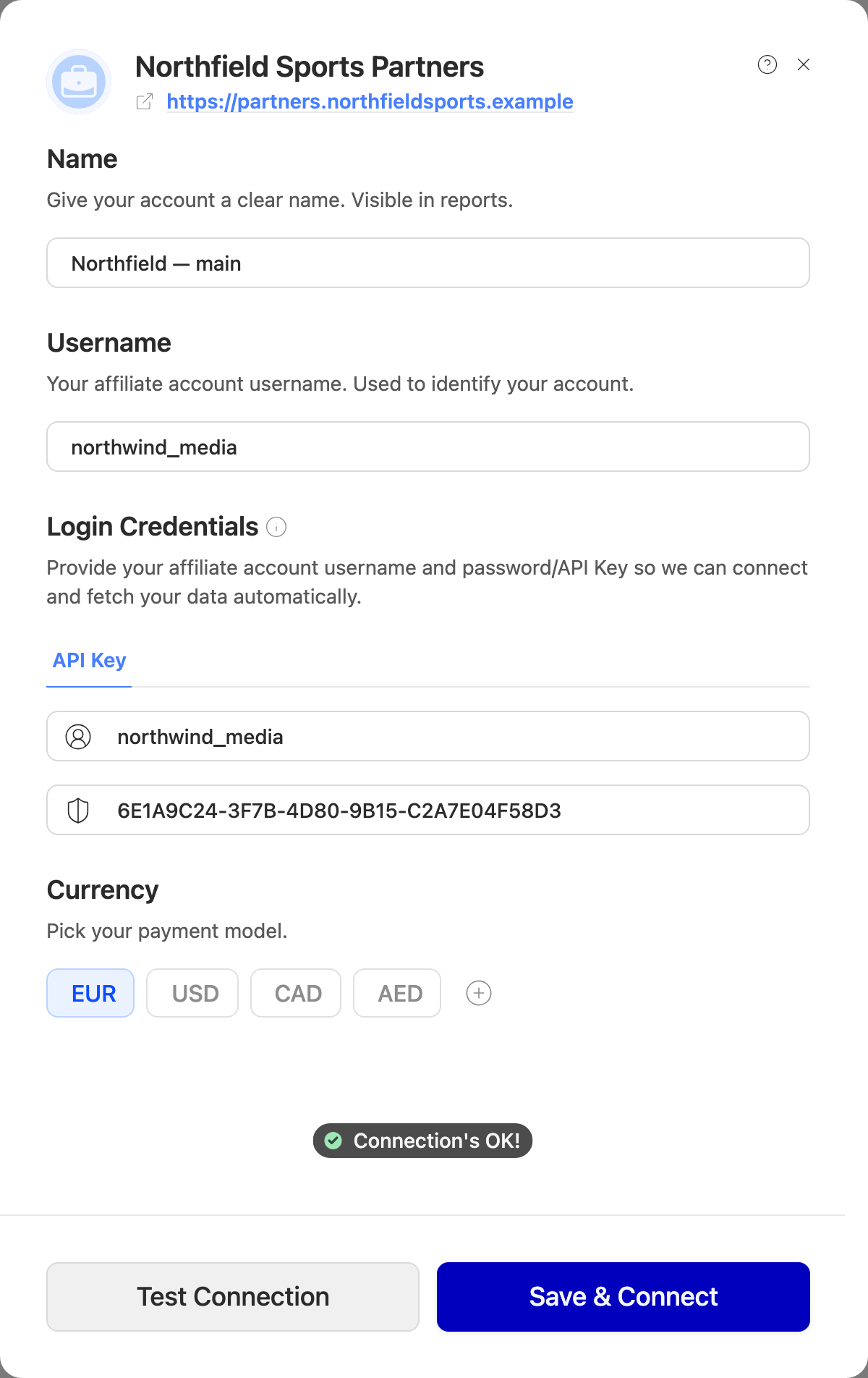
Username
Your login username for that portal, the same value that appears after
username= in the feed links. Here it is required: the program checks the key
against it.
API Key
The value after apikey= in any feed link. Treat it like a password: a feed
link with the key in it opens your stats for anyone who has it, so don't paste
the link or the key into a support ticket or a chat.
Test connection failed
- Part of the link was copied with the key. The key stops at the next
&. Make sure nothing like&start=came with it. - The username doesn't match the key. Use the
username=value from the same feed link. - The key is from a different program's portal. Confirm the portal matches the program you're adding.
- There's no Feeds page. Ask your affiliate manager to enable feed or API access for your account.
Getting help
If the username and key match the feed link and the connection still fails, contact support with the program's name, your username and the exact error from Test connection. Don't send the key or a feed link.