
Connecting a 1xBet or 22Bet account
Routy connects to programs on the 1xBet partners platform, 22Bet included, with an API token from the portal. The portal shows it when you generate an affiliate link.
Finding your credentials
- Log in to the program's affiliate portal.
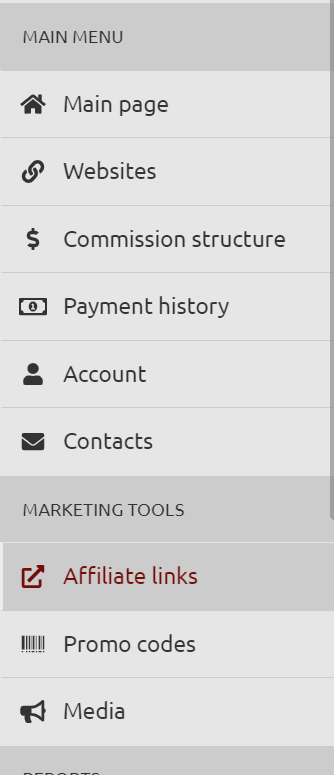
- In the side menu, under Marketing tools, open Affiliate links.
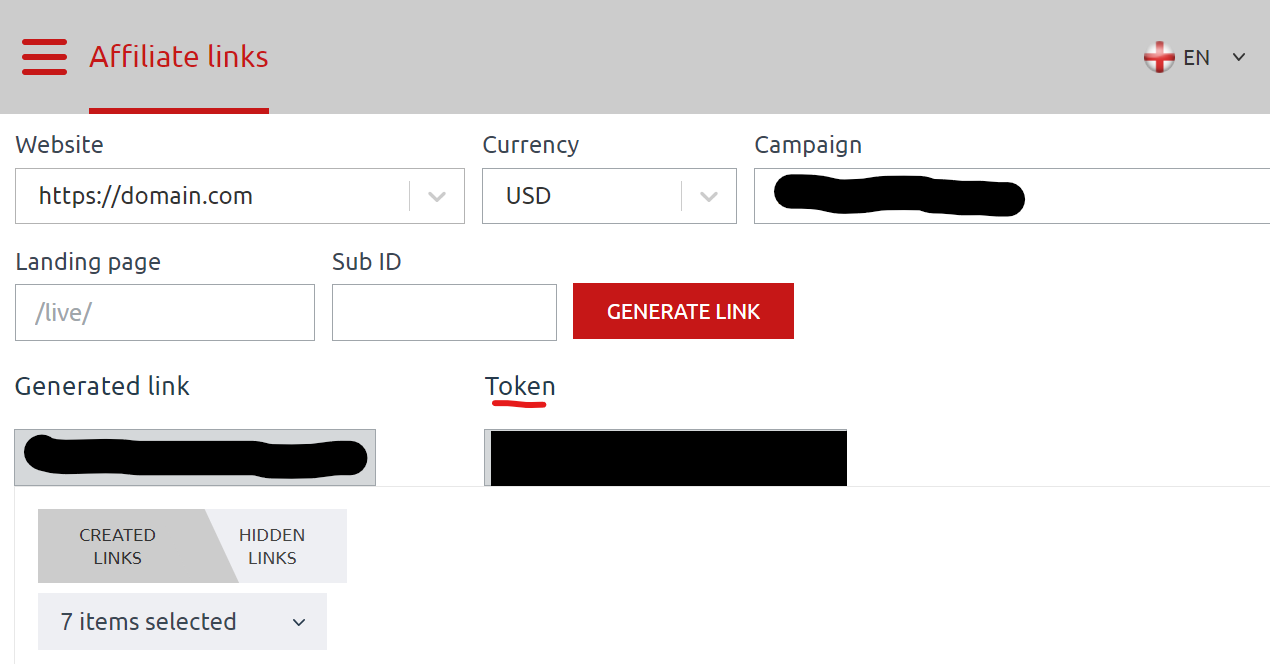
- Pick a Website and a Campaign, then click Generate link.
- A Token box appears next to the generated link. Copy the token.
If no token appears, ask your affiliate manager to enable API access for your account.
Entering them in Routy
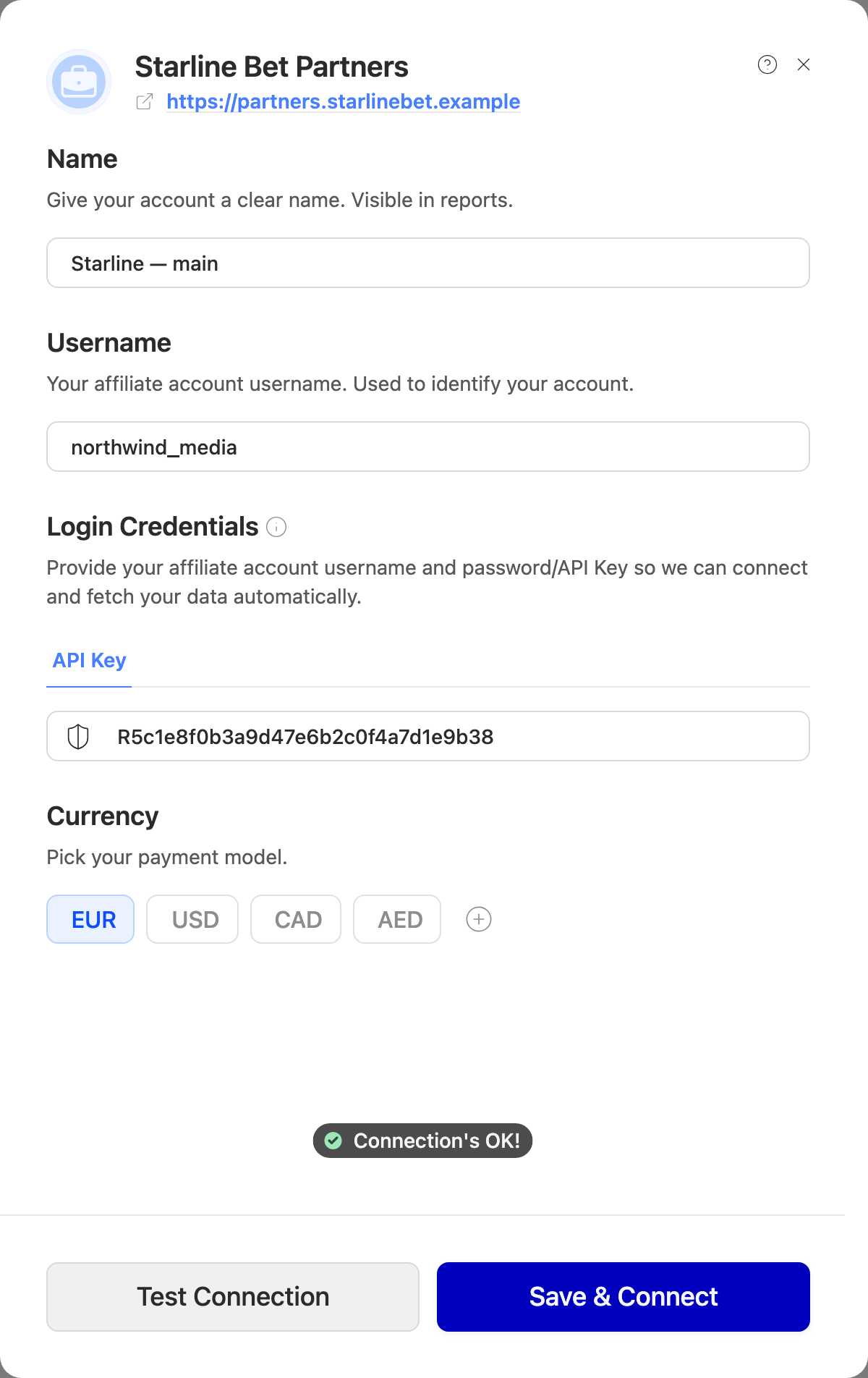
- Name the account and enter your Username for that portal.
- Under Login Credentials, paste the token into the API Key tab.
- Click Test Connection, then pick your currency and click Save & Connect.
Username
Your login username for that portal.
API Key
The Token from Affiliate links. Treat it like a password: don't paste it into a support ticket or a chat.
Test connection failed
- The generated link was copied instead of the token. The token is in the box labelled Token, not the link next to it.
- The token is from a different program's portal. Confirm the portal matches the program you're adding.
- No token appears when you generate a link. API access is off for your account. Ask your affiliate manager to enable it.
Getting help
If the token is current and the connection still fails, contact support with the program's name, your username and the exact error from Test connection. Don't send the token.