
Agreements to review
Networks you partner with can ask you to accept their terms and conditions. This page lists every set of terms waiting for you, across all your networks, with the soonest deadline first.
These are each network's terms for your partnership with it. They are not Routy's own terms. Not accepting a network's terms never affects your Routy account, your other networks or your own affiliate programs.
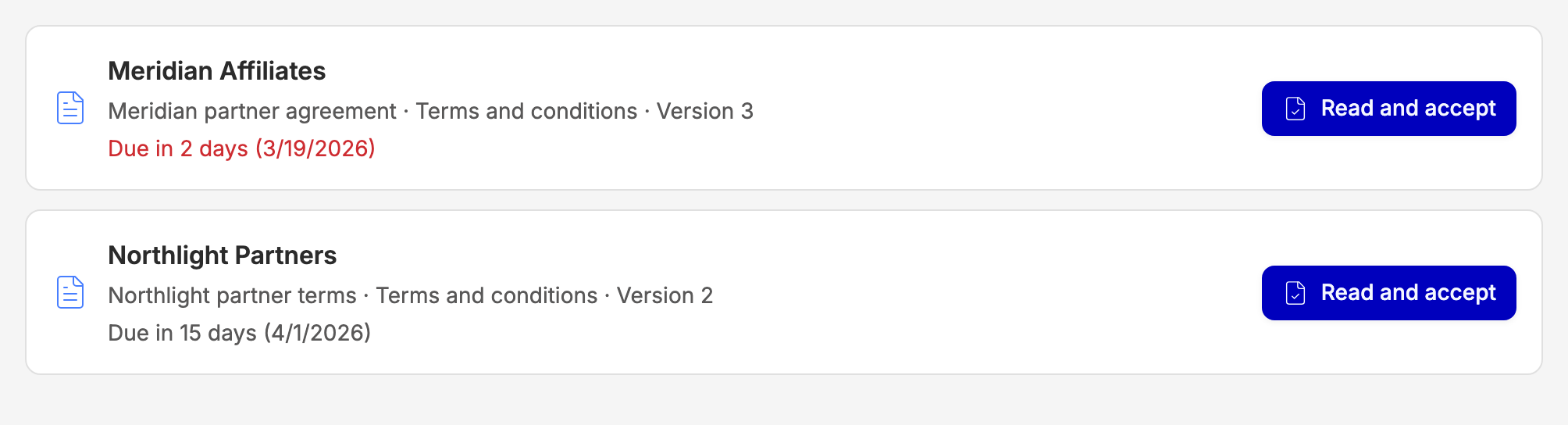
Why terms appear here
A network's terms show up here when:
- the network publishes terms for the first time, while you're already a partner;
- the network changes its terms and asks existing partners to accept the new version;
- you joined without seeing the join screen, for example by signing up to Routy through a network's invite link, or because Routy support added you.
When terms arrive you get a notification in the bell, a push notification and an email. A banner at the top of the dashboard links here for as long as anything is waiting. You get another reminder three days before the deadline.

Accept a network's terms
- Choose Read and accept next to the network.
- Read the terms.
- Tick I have read and accept these terms.
- Choose Accept.
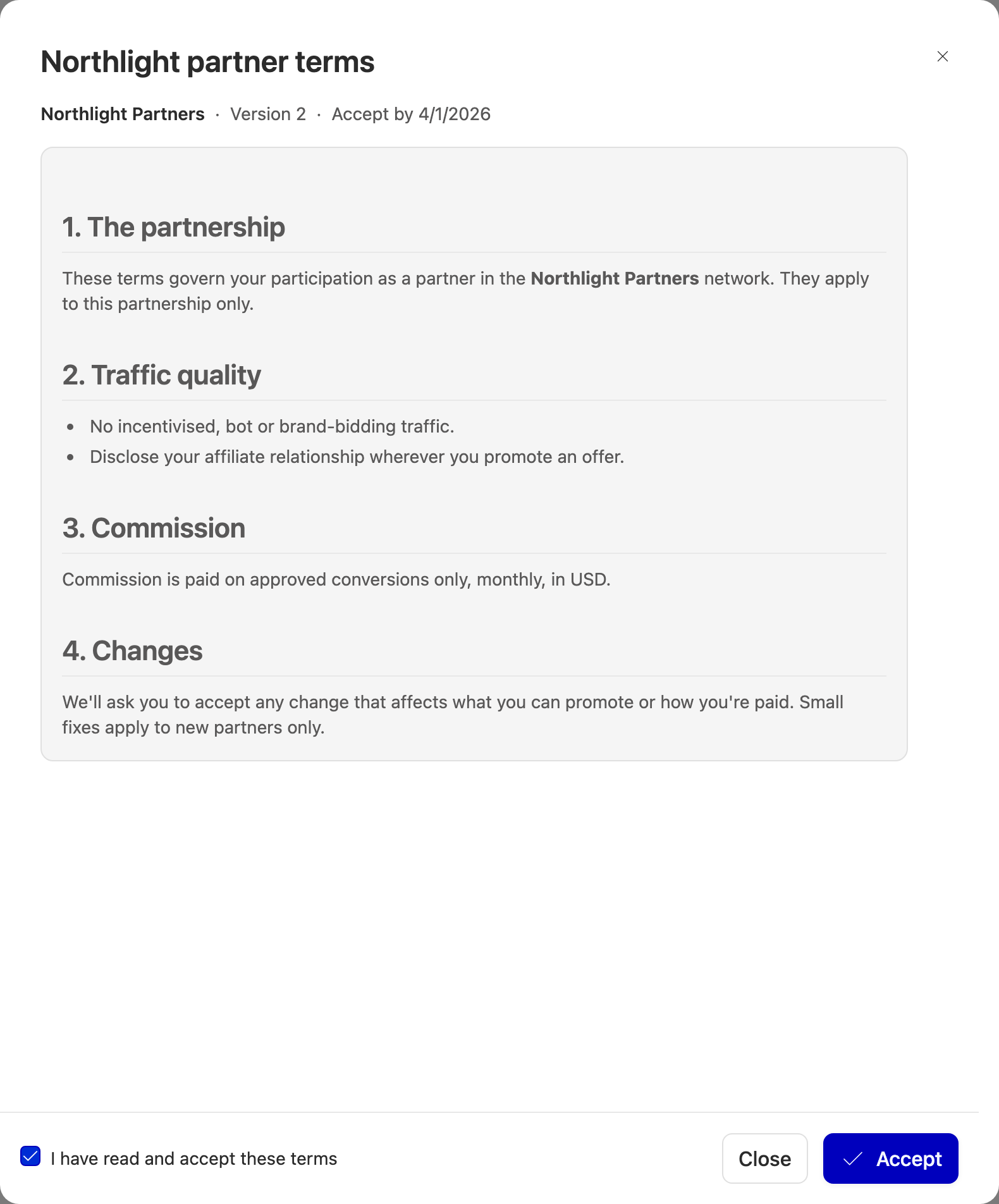
The item disappears from the list and the network sees that you accepted, when, and who accepted.
If the network publishes newer terms while you're reading, you're shown the new version instead and asked to read and tick again.
Deadlines
Each item shows its deadline. When it passes, the network decides what happens. Either the network is only told you're overdue, or your partnership with that network is suspended.
Suspended partnerships
A suspended partnership is marked Suspended. While it is:
- your tracking links for that network keep working;
- your conversions in that network aren't credited;
- you can't request new offers from that network.
Accepting the terms lifts the suspension straight away.
Who can accept
Only the owner of your Routy account can accept a network's terms. If that isn't you, you can still read the terms and see the deadline. Ask your account owner to accept them.
If your account has no owner set, nobody can accept. Contact Routy support to set one.
Joining a network that has terms
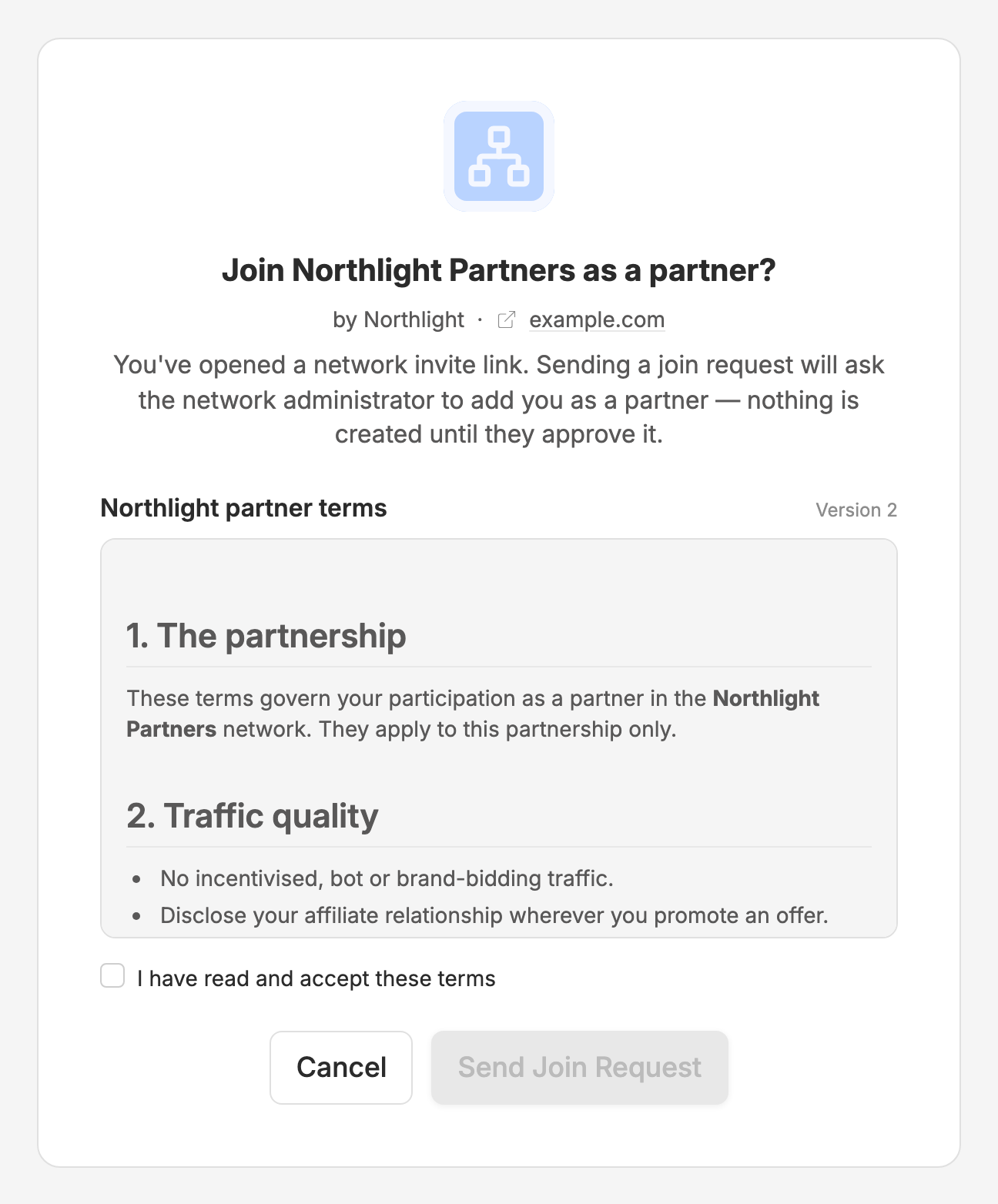
When you open a network's invite link and the network has terms, the join screen shows them. Tick I have read and accept these terms to send your request. The network then approves or declines it as usual.
When to escalate to engineering
Contact support if:
- you accepted but the item is still listed after you refresh;
- your partnership is still suspended after you accepted;
- you're the account owner and accepting is refused.