
Connecting an Income Access account
Income Access runs the affiliate portal for many brands, each on its own address but with the same menus, so these steps work whichever Income Access program you're adding.
There are two ways to connect, each on its own tab, and you need only one:
- API Key (recommended): a key you generate in the portal's Data Feed Management page.
- Password: the username and password you use for that portal.
Finding your credentials
- Log in to the program's affiliate portal.
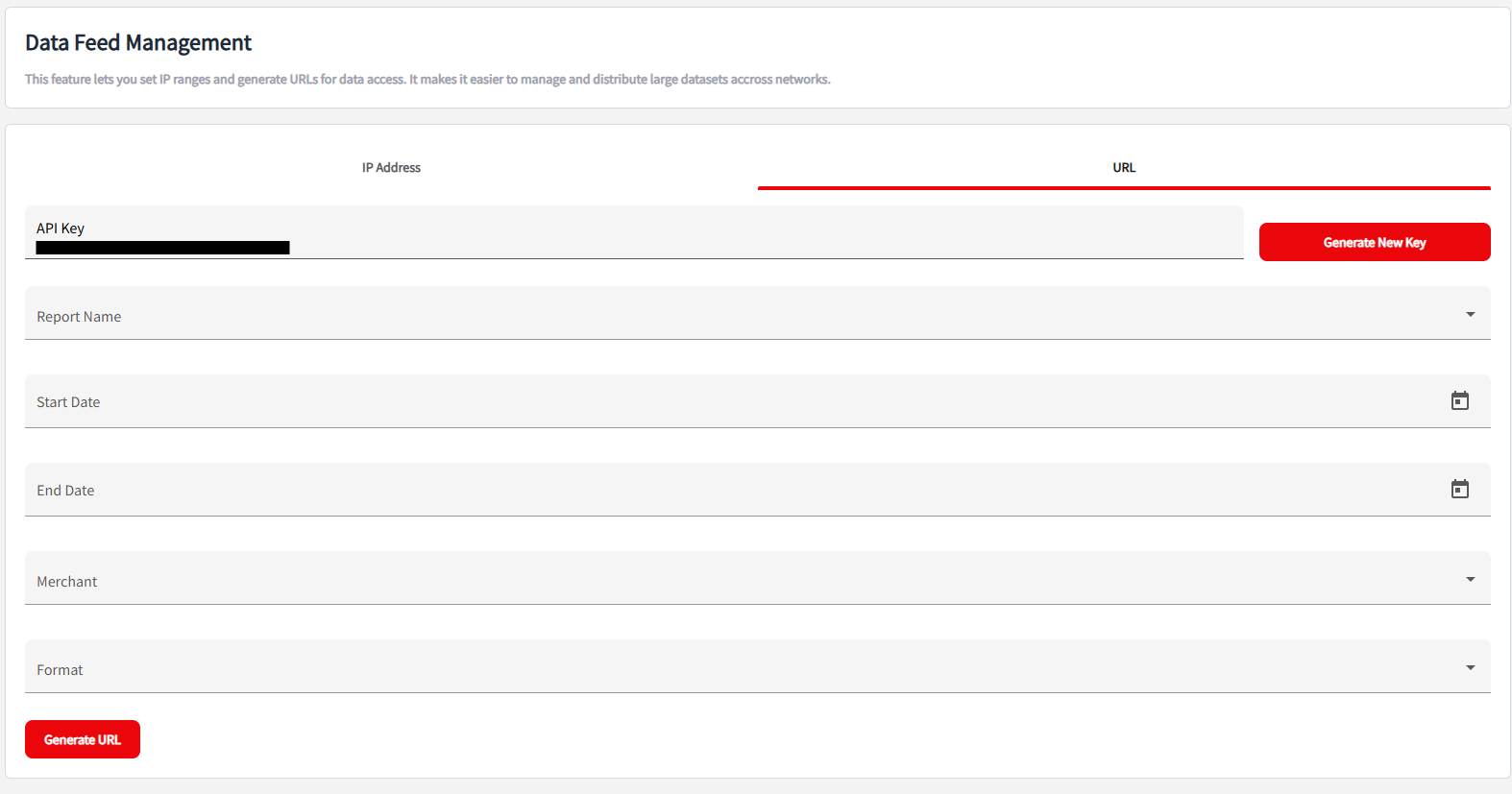
- Open Members → Data Feed Management. On some portals it's under Reports → API Reports.
- Open the URL tab and click Generate New Key.
- Copy the API Key.
Leave the IP range empty
The IP Address tab on the same page can restrict the key to a range of addresses. Leave it empty. Income Access only accepts a range, and Routy's addresses aren't one, so a key with a range set is refused. See Routy's IP addresses.
This applies to the API key only. Connecting with your portal login isn't affected.
Entering them in Routy
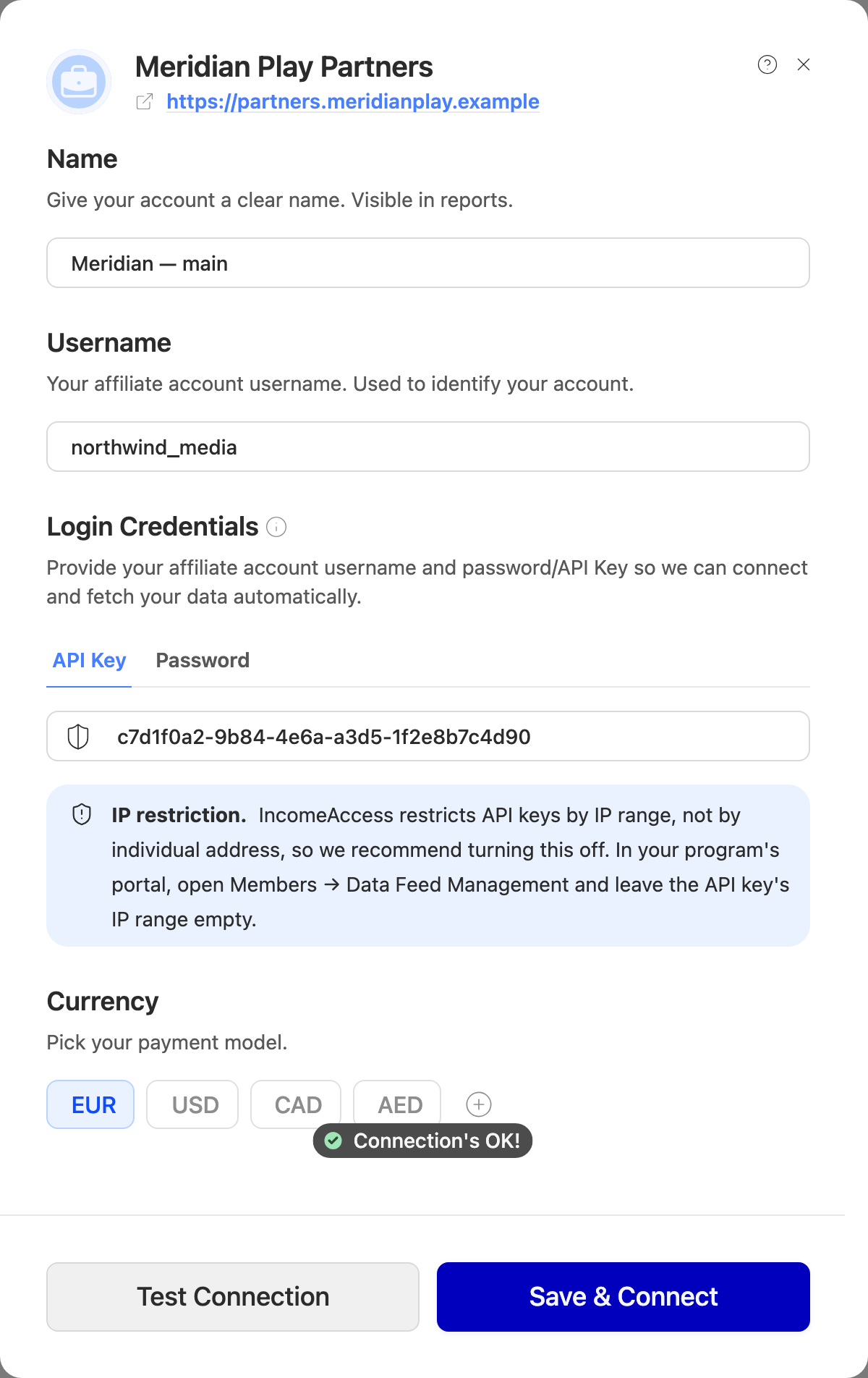
- Name the account and enter your Username for that portal.
- Under Login Credentials, stay on the API Key tab and paste the key.
- Click Test Connection, then pick your currency and click Save & Connect.
Username
Your login username for that Income Access portal.
API Key
The key from Data Feed Management → URL. Treat it like a password: don't paste it into a support ticket or a chat. If you generate a new key, update it here at the same time.
Password
Your password for that portal, on the Password tab. Use it only if you can't generate an API key.
Test connection failed
- The key has an IP range set. Open Data Feed Management → IP Address and clear the range, then test again.
- A newer key was generated. Copy the current key from the URL tab.
- The key is from a different brand's portal. Keys only work on the portal that issued them. Confirm the portal matches the program you're adding.
- There's no Data Feed Management page. API access may be switched off for your account. Ask your affiliate manager to enable it, or connect on the Password tab instead.
Getting help
If the key is current, the IP range is empty and the connection still fails, contact support with the program's name, your username and the exact error from Test connection. Don't send the key.