
Connecting a CAKE account
CAKE runs the affiliate portal for many networks and advertisers, each on its own address, so these steps work whichever CAKE program you're adding.
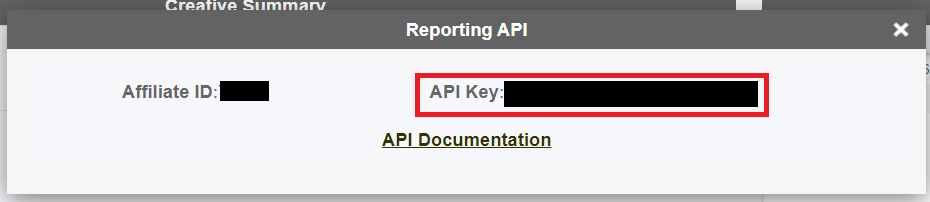
Routy connects with two values from the portal: your API key and your affiliate ID. You need both.
Finding your credentials
- Log in to the program's affiliate portal.
- Click Reporting API at the top of the page.
- The window that opens shows your Affiliate ID and API Key. Copy both.

Entering them in Routy
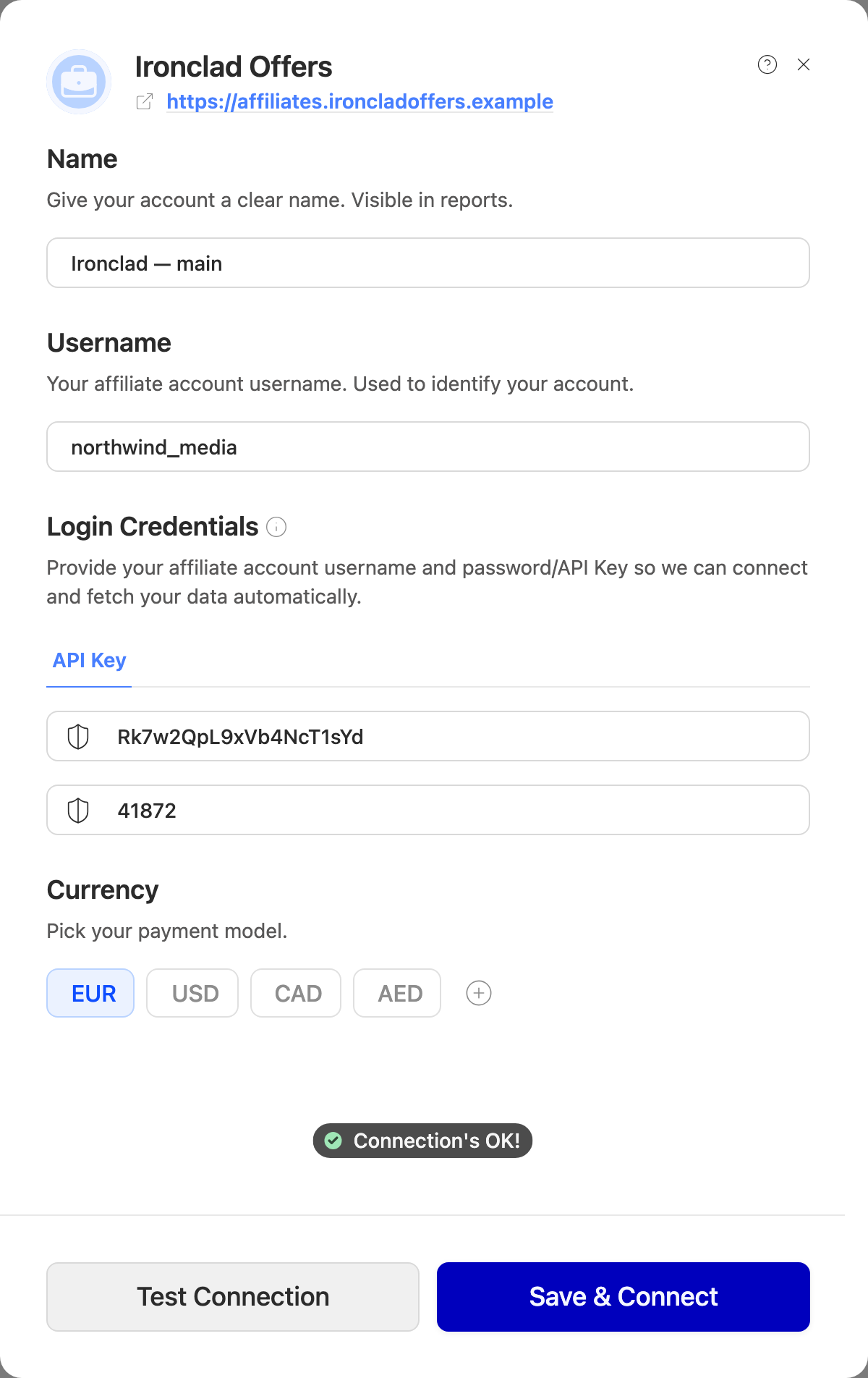
- Name the account and enter your Username for that portal.
- Under Login Credentials, on the API Key tab, paste the API key into the first box and your affiliate ID into the second.
- Click Test Connection, then pick your currency and click Save & Connect.
Username
Your login username for that CAKE portal.
API Key
The API Key from the Reporting API window. Treat it like a password: don't paste it into a support ticket or a chat.
Client Identifier
Your Affiliate ID from the same window. It is a number, not your username.
Test connection failed
- The two values are swapped. The API key goes in the first box and the affiliate ID in the second.
- The values are from a different program's portal. Each CAKE portal issues its own key and ID. Confirm the portal matches the program you're adding.
- There's no Reporting API button. API access may be switched off for your account. Ask your affiliate manager to enable it.
Getting help
If both values are current and the connection still fails, contact support with the program's name, your affiliate ID and the exact error from Test connection. Don't send the API key.