Set up a postback in Routy
Generate a postback URL for an account, place it with the brand, and test it end to end.
Chapters
Transcript
In this video, we'll set up a postback for one account, and test it. If you're not sure what a postback is, watch What is a postback first. Everything starts in Events, Postbacks. Every postback a brand sends you lands here.
Click Generate. A postback belongs to one account, so pick the account first. Then pick the events the brand will report, for example Signup and First Deposit.
Here is your postback URL. Before you copy it, look for dyn, or click I D. That's the slot the click ID comes back in. Routy has already filled it with the brand's placeholder for the slot your link sends the ID in. If the URL has neither dyn nor click I D, stop here and contact support. Without it, nothing can be matched.
If you picked a money event, you may see this note. It means Routy doesn't know what this brand calls the amount. Add it to the end of the URL with the brand's own placeholder for the amount. Their account manager can tell you what it's called.
Copy the URL, and keep it to yourself and the brand. Anyone who has it can report conversions to your account.
Next, put it in the program's postback or S2S field, or send it to your account manager there. The most important rule: don't touch the placeholder. Don't type a real value in its place, and don't swap in a placeholder from somewhere else. The brand fills it in for every conversion. And the first time you set up a postback with a brand, always ask their account manager to confirm the URL structure, before you rely on it.
Now test it. Pick a traffic source and one of the brand links for this account. Routy gives you a test link. Open it, and you'll land on the brand's page. Look at the address bar on the brand's page. You'll see your click ID, under the brand's own parameter name. That name should be the same one inside the placeholder in your postback URL. That's the handshake. Send this full address to your account manager as your test link, and ask them to fire a test conversion on it.
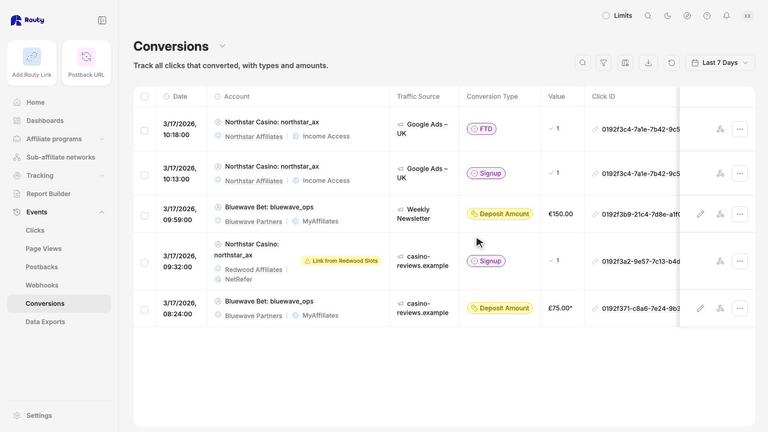
When they do, it shows up here, in Events, Postbacks. Processed means it matched your click, and the conversion counts. Not matched means it arrived, but Routy could not tell which click it was. Check what the brand sent. Here, the placeholder came back unfilled, so the brand doesn't know that placeholder. Anyone on your team who can see your accounts can generate a postback URL and check this page. Once one account works, the next takes minutes: the same steps, and the same check of the slot.